The 18 modules form the feature catalogue; they are not a mandatory selection. You decide which areas your institution uses. AI is activated only on request. Clinical dependencies and finalisation are described on the module pages.
01 / IN DAILY USE
Tasks and responsibility.
You choose this module according to your institution's needs. The interfaces described are configured for the areas you select. AI support is available exclusively on request and processes data on Oronela's own servers in Switzerland.
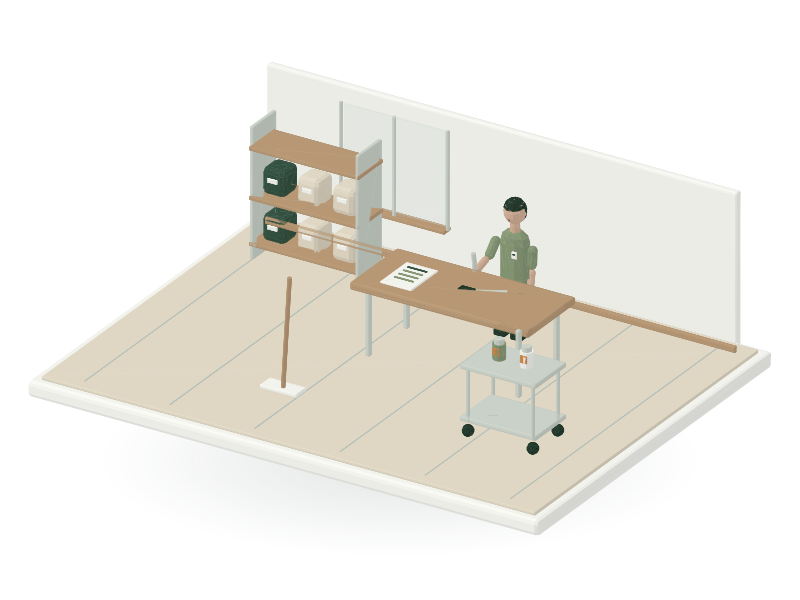
Housekeeping and maintenance keep rooms, supplies and equipment ready for daily use. Tasks arise from recurring schedules and operational events such as discharge, room changes or faults. Execution, inspection and required approval remain traceably separate.
The supplies inventory manages procurement, goods receipt, consumption, batches and recalls. The kitchen uses these stocks for its ingredient needs; medication is managed in M03's dedicated medication inventory. Equipment defects and maintenance show whether a resource is available, restricted or blocked.
Information maintained by the module
Area
Content and meaning
Work order
Location, type, priority, time window, responsibility, checklist revision, completion and required inspection.
Supplies movement
Item, unit, warehouse, batch, receipt, reservation, consumption, inventory correction and recall.
3 functional areas connect this module's tasks. The following sections explain their content, processing and responsibilities.
01
Work orders, cleaning and room release
Automatically create recurring cleaning and laundry tasks; communicate room approvals without telephone chains.
Cleaning, laundry, hygiene and special tasks have a location, task type, priority, time window, responsible people, substitutes and a verifiable checklist.
Discharge, room changes or hygiene requests generate deduplicated tasks. Events contain only necessary protective measures, not unrestricted full text from care records.
Checklists and required checks are versioned. Completion by the person carrying out the work is separate from any required inspection and approval for occupancy; M05 retains ownership of occupancy.
Faults, incomplete work and missing protective equipment create justified restriction or escalation states rather than automatic success messages.
Responsibility
Housekeeping completes assigned work, inspection follows the competence profile, and unit management sees operational statuses. Technical administration does not receive care data.
Automation & AI
Rules generate recurring tasks and escalations; private AI can structure permitted fault descriptions. AI does not replace approval, protective measures or inspections. AI features require activation at your request. Processing remains on Oronela's own servers in Switzerland.
02
Inventory, procurement, batches and recalls
Identify shortages early and simplify recurring supply orders; trace recalls through to documented use.
Items, storage locations, quantity units, minimum stock, procurement suggestions, orders, goods receipts and consumption are maintained separately. Conversions are explicitly versioned.
Stock changes arise from traceable movements; inventory corrections require a reason and authorisation. Stock figures cannot be edited freely.
Batch and expiry requirements are defined for each item profile. Blocked, recalled or expired batches may not be withdrawn through the normal process.
Recalls create restrictions, stock lists, uses to be checked and responsibilities. Medical consumption references are shown only to people authorised for them.
Cost and supplier information depends on the role; an ordering recommendation does not create an unlimited order.
Responsibility
Stores and housekeeping work with supplies, procurement approves within limits, and clinical recall assignment remains with qualified professionals.
Automation & AI
Rules calculate minimum quantities and generate order drafts; AI can explain documented consumption trends. Approval limits, quantity and batch checks, and recall status are deterministic. AI features require activation at your request. Processing remains on Oronela's own servers in Switzerland.
03
Equipment, maintenance and faults
Automatically initiate recurring inspections and repair workflows; make restricted equipment immediately recognisable.
Assets and equipment receive a UUIDv7, external inventory number, location, class, owner, manuals, maintenance plan and versioned inspection profile.
Maintenance records target and actual dates, inspector competence, results, evidence, defects, restrictions and the next due date. An uploaded PDF does not replace an approved inspection finding.
An overdue safety-relevant inspection blocks the equipment or applies only the reasoned restriction permitted by the approved rule profile. No one can remove a defect merely by entering a new date.
Faults are prioritised, assigned to qualified departments and closed only after the required recommissioning check.
Responsibility
All authorised employees report faults; technical services plan and qualified inspectors confirm; procurement and inventory administration maintain master data without inspection authority.
Automation & AI
Due dates and escalations follow rules. AI may draft guidance from approved manuals with source references; neither safety classification nor return to service is decided autonomously. AI features require activation at your request. Processing remains on Oronela's own servers in Switzerland.
03 / PRACTICAL EXAMPLE
Fault in kitchen refrigeration equipment
01
An employee reports the fault with its location and a traceable description.
02
Technical services assess the order and set the permitted restriction on the equipment.
03
Affected storage conditions and batches are checked by the responsible parties.
04
An authorised inspection decides on return to service and documents the evidence.
A new maintenance date does not resolve an outstanding fault. The kitchen and stores see the necessary operational consequences; release requires the appropriate inspection result.
SYSTEM WORKFLOW / Typical workflow
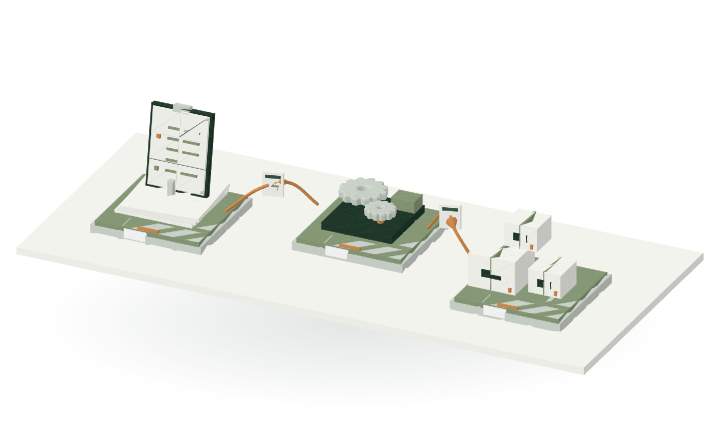
Typical workflow
01
An incident or scheduled maintenance creates an operational work order with responsibility.
02
The team performs the work and documents the required inspection.
03
Release, stock or equipment status is updated with the associated evidence.
View the domain workflow in 3D +
M10 / WORKFLOWStep by step
Operational work orderBeing transferred
Illustrative workflow model
01Accept task
→
INFORMATIONOperational work order
→
02Perform & check
Incident · Location · ResponsibilityReady for handover
An incident or scheduled maintenance creates an operational work order with responsibility.
Operational tasks connect maintenance, supplies and the approved room status.What information is passed on?
01 → 02
Operational work order
Incident · Location · Responsibility
02 → 03
Evidence of completion
Inspection · Supplies · Approval
DATA EXCHANGE / MODULE CONNECTIONS
Interfaces in context.
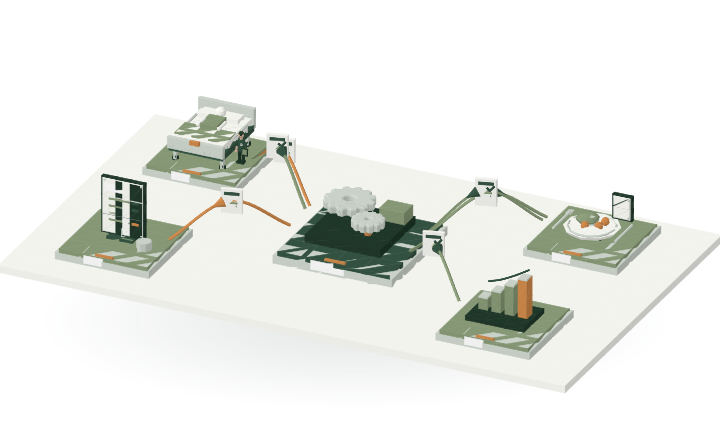
M10 is at the centre. The connections show which modules can provide or receive information when selected and configured for your institution. Choose a connection to see its data scope.
M10 / CONNECTIONSExchange across modules
Room releaseBeing transferred
Versioned module contracts
M10This module
→
INFORMATIONRoom release
→
M05Room release
Cleaning, blocking and verified room status.Ready for handover
Cleaning, restriction and verified room condition. Approval updates availability for occupancy.
The connections show domain data relationships. Specific API contracts and partner connections are versioned and approved separately.
Stock, maintenance and task status with data status.
Professional rule
Indicators and their provenance remain traceable.
The module requirements define the exchange of domain information. Each module manages its own data; other modules use approved, versioned contracts. Permissions, tenant, revision and acknowledgement are preserved throughout.
This module, selectable according to need, is part of Oronela in finalisation. Functions, responsibilities and interfaces form the fixed scope. Finalisation combines professional acceptance reviews with feedback from care institutions: real needs determine the final improvements.
Comparison with the module requirements, implementation plan and current Oronela system codebase: 1 October 2026. Product requirements M10-01–M10-04 · M10-A–C. The following areas are explained on this page: