The 18 modules form the feature catalogue; they are not a mandatory selection. You decide which areas your institution uses. AI is activated only on request. Clinical dependencies and finalisation are described on the module pages.
01 / IN DAILY USE
Tasks and responsibility.
You choose this module according to your institution's needs. The interfaces described are configured for the areas you select. AI support is available exclusively on request and processes data on Oronela's own servers in Switzerland.
Operational management makes existing professional evidence usable in task-related overviews. Occupancy, shift coverage, time, services, supplies and quality are shown with their definition, period and data age. Missing or late sources remain visible rather than producing an apparently complete value.
Authorised users can trace a figure to the permitted evidence and export it under control. Scenarios show possible consequences of changed assumptions, separately from actual results. Analysis across organisations requires its own approvals and protection against disclosure of small groups.
Information maintained by the module
Area
Content and meaning
Indicator definition
Purpose, formula, unit, dimension, period, sources and approved version.
Report version
Traceable source snapshot, freshness, data gaps, permitted level of detail and export approval.
Scenario
Assumptions, input status, model version, uncertainty, result and subsequent human decision.
02 / MODULE FUNCTIONAL SCOPE
What this module covers.
3 functional areas connect this module's tasks. The following sections explain their content, processing and responsibilities.
01
Indicator catalogue and current operational overviews
Review occupancy, shift coverage, time expenditure, services, supplies and quality through a few task-focused views.
Every indicator has a stable code, professional owner, definition and revision, unit, permitted dimensions, source and freshness target; the same label must not conceal a different calculation.
Projections process events idempotently, handle late events and corrections and show data version, backlog and missing data per source.
Role-specific dashboards limit dimensions and resident or staff references before a query runs. A management role alone does not open complete care records or confidential personnel data.
Scheduled, actual and billed values are separate; errors or backlogs lead to a visible ‘incomplete/outdated’ status, not an apparently current zero.
Period, site and permitted filter selections in shared links remain subject to current permission checks. A saved view does not extend access rights.
Responsibility
Management and ward or operational managers have access by dimension; data owners approve definitions; technical operators see backlogs without full professional visibility.
Automation & AI
Rule-based thresholds and trend alerts; AI may explain permitted indicators and formulate queries. Dashboard text never produces an automatically binding staffing or occupancy decision. AI features require activation at your request. Processing remains on Oronela's own servers in Switzerland.
02
Drill-down, export and analysis across organisations
Explain figures and share them in a controlled way without disclosing individuals through details, exports or small groups.
Drill-down recalculates the permitted source scope on retrieval; search indexes, temporary files and export jobs follow the same rules as the source.
Asynchronous exports have a snapshot, format and language profile, scope, purpose, approval, retention and revocable time-limited availability; permissions are rechecked at job start and delivery.
Cross-organisation analysis requires a separately approved agreement or policy and appropriate aggregation or demonstrated anonymisation. Tenant boundaries must not be bypassed by a central SQL superuser.
Versioned disclosure profiles govern small-group protection and relevant differencing or combination attacks through repeated filters and exports. Pseudonymised data remains protected accordingly.
Table exports neutralise spreadsheet formula interpretation in free text and separate machine-readable values from localised display. Export files contain only approved columns.
Responsibility
Report users within their scope, separately authorised approvers for use across organisations and auditors according to purpose; a global administrator role does not grant disclosure approval.
Automation & AI
Automatic policy, scope and completeness checks; AI can explain columns. AI must neither bypass approval nor reconstruct suppressed individual values through additions. AI features require activation at your request. Processing remains on Oronela's own servers in Switzerland.
03
Scenarios, forecasts and explainable assumptions
Compare the effects of occupancy, staff availability and demand before a professional decision.
A simulation has a purpose, baseline data version, assumptions, time horizon, parameters, model or rule revision and named limitations; its result is clearly separate from actual values and a binding plan.
Users can vary permitted parameters and compare scenarios; restricted source data must not influence accessible results invisibly.
Deterministic models use traceable rules; statistical and ML forecasts receive separate suitability and quality assessments, uncertainty displays and drift monitoring appropriate to the approved purpose.
Transferring a scenario into a real shift or occupancy schedule is a separate authorised command in the responsible module, with renewed checks of current data and rules.
Insufficient baseline data, inputs outside the approved range or a missing model revision do not produce a seemingly precise, binding recommendation.
Responsibility
Authorised planning and management roles, model owners for approvals; no clinical forecast outside a separately approved intended purpose.
Automation & AI
Local AI formulates assumptions as a reviewable draft and explains results with sources. The calculation model and data basis supply values; language-model text must not add missing figures as facts. AI features require activation at your request. Processing remains on Oronela's own servers in Switzerland.
03 / PRACTICAL EXAMPLE
Assess occupancy and shift coverage together
01
Management selects the period and authorised sites.
02
The overview shows definitions and current source versions for occupancy and staffing needs.
03
A scenario compares alternative assumptions about future capacity.
04
A selected change is checked and approved again in the authoritative occupancy or staffing module.
Report text does not change a duty roster. Forecasts, data gaps and actual values remain distinguishable; detailed access rights also apply after export.
SYSTEM WORKFLOW / Typical workflow
Typical workflow
01
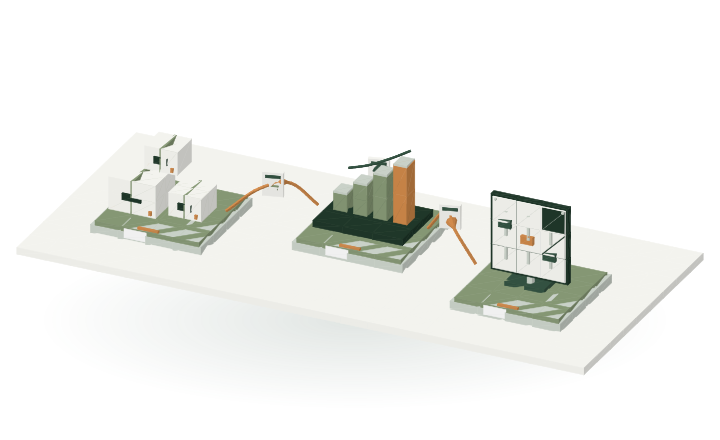
Period, definition and authorised sources determine the report.
02
Indicators show provenance, data status and missing values; scenarios are labelled as such.
03
Detail views and exports use the same permissions as the original source data.
View the domain workflow in 3D +
M14 / WORKFLOWStep by step
Report definitionBeing transferred
Illustrative workflow model
RulesProfessional foundation
→
INFORMATIONReport definition
→
02Indicator & provenance
Period · Indicator · PermissionReady for handover
Period, definition and authorised sources determine the report.
Several data sources come together in traceable indicators and protected details.What information is passed on?
Rules → 02
Report definition
Period · Indicator · Permission
01 → 02
Authorised source data
Occupancy · Time · Service
02 → 03
Traceable indicator
Definition · Data status · Provenance
DATA EXCHANGE / MODULE CONNECTIONS
Interfaces in context.
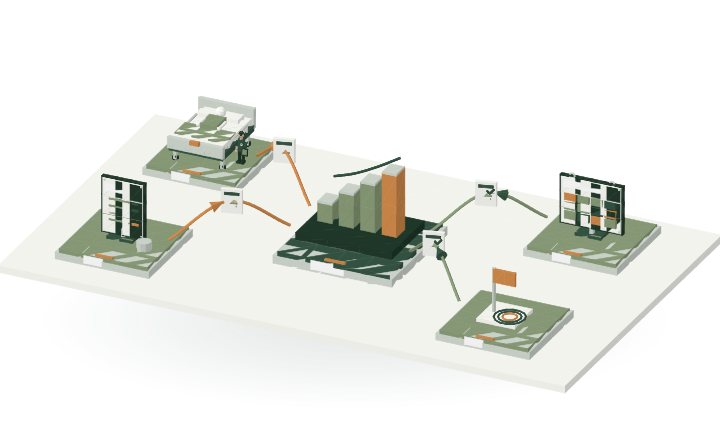
M14 is at the centre. The connections show which modules can provide or receive information when they have been selected and configured for your institution. Select a connection to view the data it covers.
M14 / CONNECTIONSExchange across modules
Occupancy dataBeing transferred
Versioned module contracts
M05Occupancy
→
INFORMATIONOccupancy data
→
M14This module
Planned and actual occupancy with period.Ready for handover
Planned and actual occupancy with period. The report definition and data version are shown.
The connections show domain data relationships. Specific API contracts and partner connections are versioned and approved separately.
Protected details remain protected in drill-down views.
The module requirements define the exchange of domain information. Each module manages its own data; other modules use approved, versioned contracts. Permissions, tenant, revision and acknowledgement are preserved throughout.
This module, selectable according to need, is part of Oronela in finalisation. Functions, responsibilities and interfaces form the fixed scope. Finalisation combines professional acceptance reviews with feedback from care institutions: real needs determine the final improvements.
Comparison with the module requirements, implementation plan and current Oronela system codebase: 1 October 2026. Product requirements M14-01–M14-04 · M14-A–C. The following areas are explained on this page: